-
Building on our previous release that enabled the management of devices independently of instances. Now, the integration of individual devices into DevOps Pipelines is possible. This update marks a significant step towards more flexible and efficient device management within FlowFuse. In our ongoing efforts, we are also developing features to group devices, aiming to streamline and improve the overall device management experience.
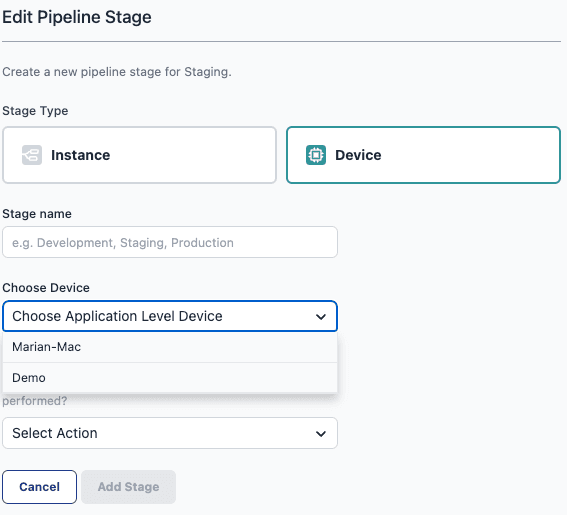
Devices in DevOps Pipelines are available for every customer who has access to DevOps Pipelines. This includes all Cloud customers and those from the Pro Tier onwards for our self-hosted version.
-
From today onwards, Project Nodes will now be available for devices assigned to an application. Previously, it was necessary for devices to be bound to an instance to utilize this functionality.
-
With the latest update, devices operating in
Developer Modewill now have theOpen Editorfeature enabled by default. This enhancement is designed to improve the User Experience. -
read more...
As a developer, sometimes you have to hold up your hands and realise something you've spent two weeks building needs to be thrown away and restarted.
-
read more...
It's been a little while since we've done an update, since we last posted we've moved into the 0.7.x releases for Dashboard 2.0. With these we're making big strides in improving the UX for charting your data, as well as starting to focus on migration paths from Dashboard 1.0 to 2.0.
-
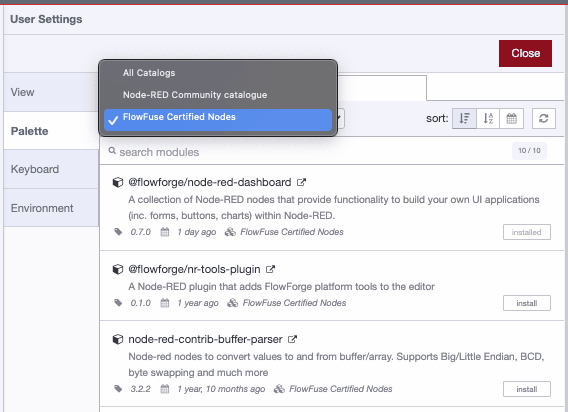
Teams Tier customers can now leverage a curated selection of certfied Node-RED nodes, enhancing workflow efficiency and security.
- Quality Assurance: Each certified node undergoes testing, ensuring it's free from harmful components, aligning with our commitment to reliability.
- Proactive Security Measures: While prioritizing immediate resolutions for detected vulnerabilities, we maintain the discretion to revoke a node's certified status, ensuring system integrity. Affected customers will receive prompt notifications.
- Support: Assistance for certified nodes is provided, aiming for, but not promising, issue resolution.
How? You can find all certified nodes in your Node-RED palette manager or on the dedicated page on our website.
-
In the FlowFuse Audit Log (see Documentation)of an instance, it will now display when the resource utilization of CPU or memory exceeds 75% over a period of five minutes. This should provide transparency regarding resource utilization and serve as an indicator for choosing the appropriate instance size.

-
The Device Agent now passes the PATH environment variable to the Node-RED instances. Erroneously, the agent didn't capture it to expose to Node-RED again for usage. This prevented some nodes from being installed, like
node-red-serial-portwhen assigned to an application. -
Users can now effortlessly deploy snapshots for devices assigned to an application through a new "Deploy Snapshot" button, available in the device's "snapshots" tab, thereby enhancing the workflow with the option to set either instance-owned or device-owned snapshots as the target.

-
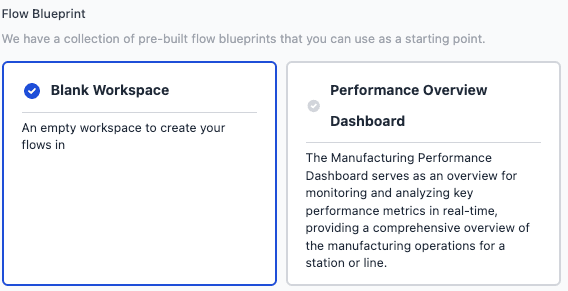
FlowFuse Blueprints are now available on FlowFuse Cloud and, upon request, for Teams and Enterprise Self-Hosted customers. Blueprints simplify Node-RED deployments by offering pre-built, customizable flows for specific use cases, thereby accelerating both new user onboarding and solution development for our seasoned users.
Click here to learn more about Blueprints.
When creating a new instance, you can now also select a Blueprint.
-
read more...
With a new release, comes new features for Dashboard 2.0, and the focus of this release has been on improving the developer experience for those building third-party widgets for Dashboard 2.0.
-
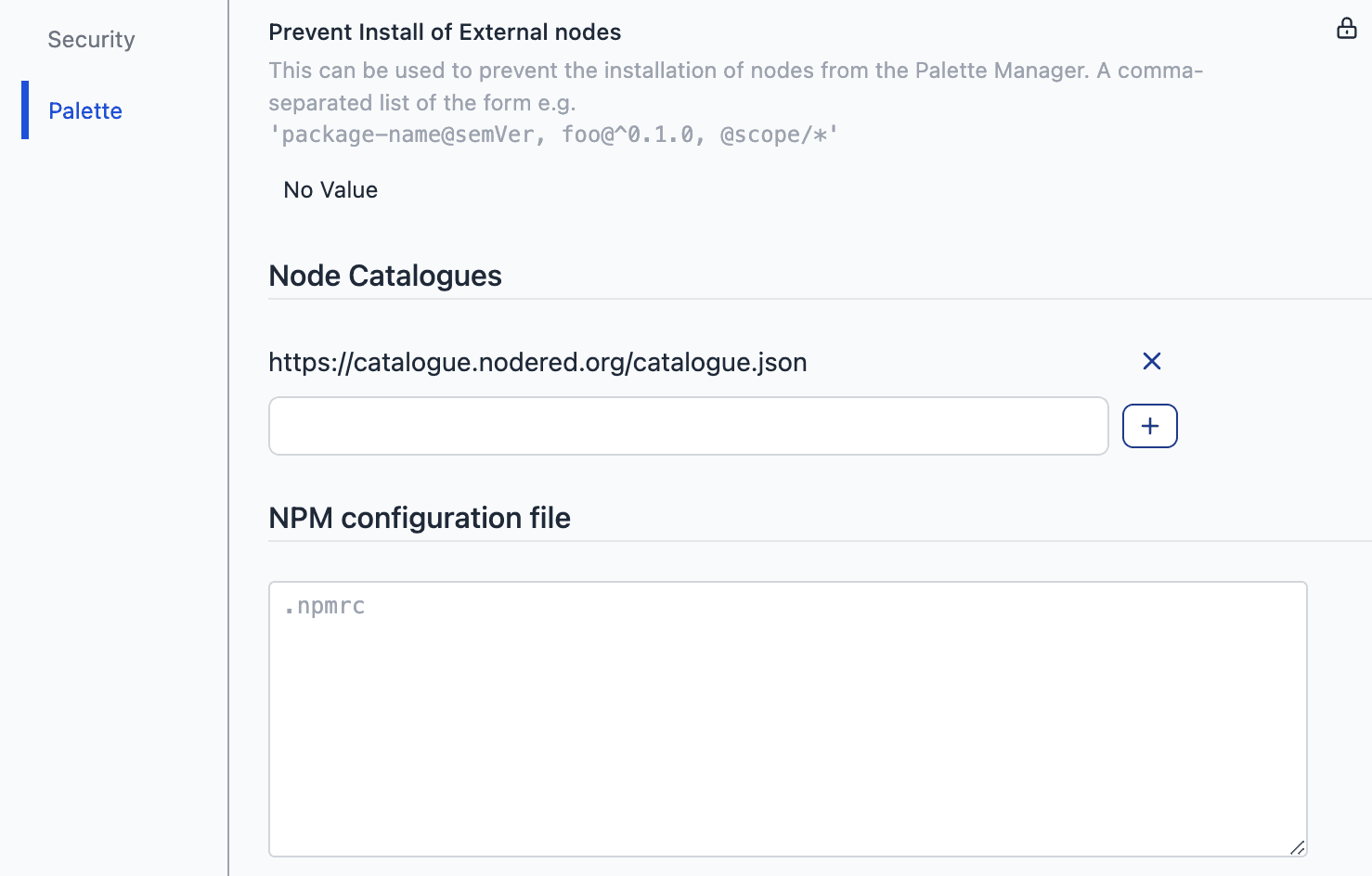
An often requested feature is support for custom nodes. Although Node-RED instances today connect automatically to the official Node-RED catalogue, which boasts over 4,400 custom nodes, we understand that specific use cases may require access to additional or different NPM registries and catalogues.
Starting today, you can extend your Node-RED environment by adding custom Node Catalogues. We have introduced the capability to modify the .npmrc file, allowing you to install modules that are not hosted in the official registry.
-
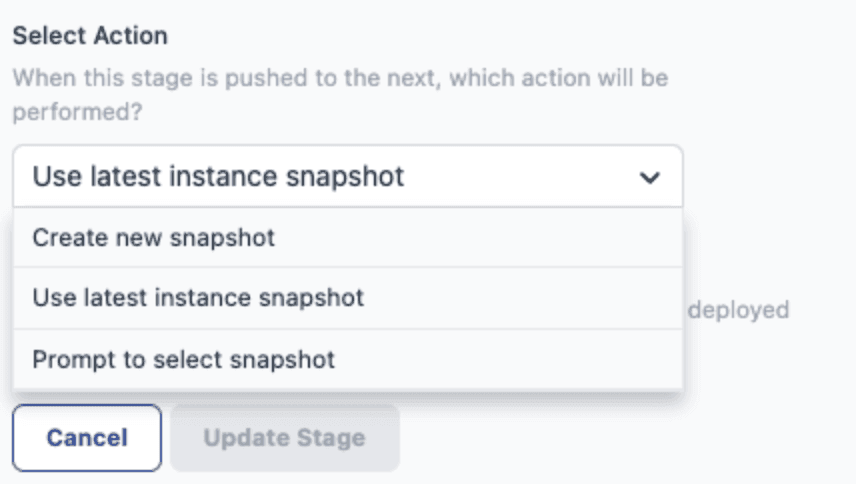
Starting today, you can configure a deployment stage to create a new snapshot, always copy the latest snapshot, or prompt you for an action. This provides a more flexible approach to managing snapshots, enabling you to directly push created snapshots through the pipeline rather than being limited to the current image on Node-RED instances.
-
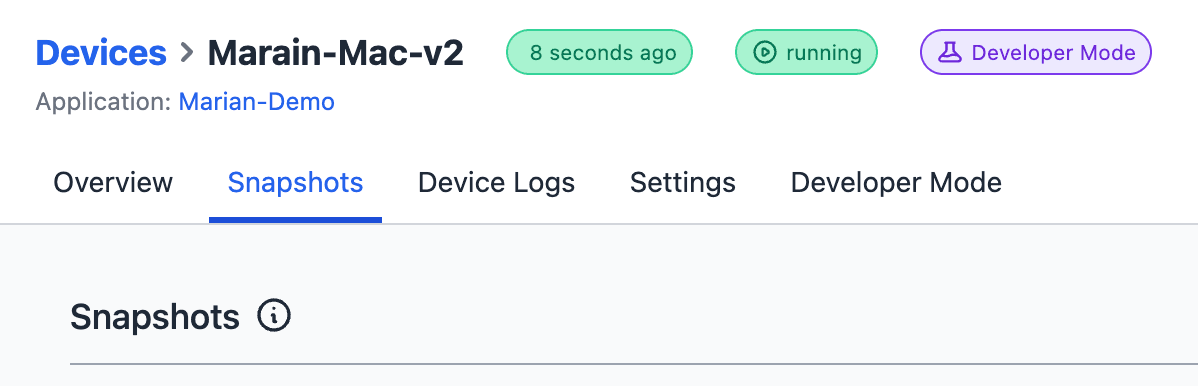
Four weeks ago, we began working on several usability improvements to our Device Management. This included the ability to associate devices at the application level, allowing for easier editing of Node-RED instances on edge devices.
Starting today, it will also be possible to create and manage snapshots for those standalone devices.
-
We are excited to officially announce the implementation and introduction of our new Enterprise Tier. Starting today, all FlowFuse Cloud customers have the option to upgrade their tier directly through Team Settings -> Danger -> Change Team Type. For those who self-host FlowFuse, the differentiation between the Enterprise and Teams Tiers is now available as well, via license type.
Comprehensive details about the features included in each tier can be found on our pricing page.
-
The execution of DevOps Pipelines is now an official API endpoint. Therefore, automation and integration, for example via Node-RED, are now possible. For more details, see our API Documentation.
-
read more...
Whilst we're still busy backporting through the existing Dashboard 1.0 features, we did want to highlight some new features we've built in Dashboard 2.0 released this week.